Quick Answer
What is an SEO audit checklist? An SEO audit checklist is a list of checks that shows whether search engines can find your pages, understand them and trust them. A good one covers eight areas: indexing, technical health, speed, on-page SEO, content, internal links, schema and authority. You can run the 40 checks below in about two hours on a small site using free tools such as Google Search Console and PageSpeed Insights.
Introduction
Most websites that do not show up on Google have the same problem. Not one big mistake. A handful of small ones nobody checked.
A page blocked by a stray “noindex” tag. A sitemap that lists old URLs. A mobile page that takes five seconds to load. Each is easy to fix once you know it is there.
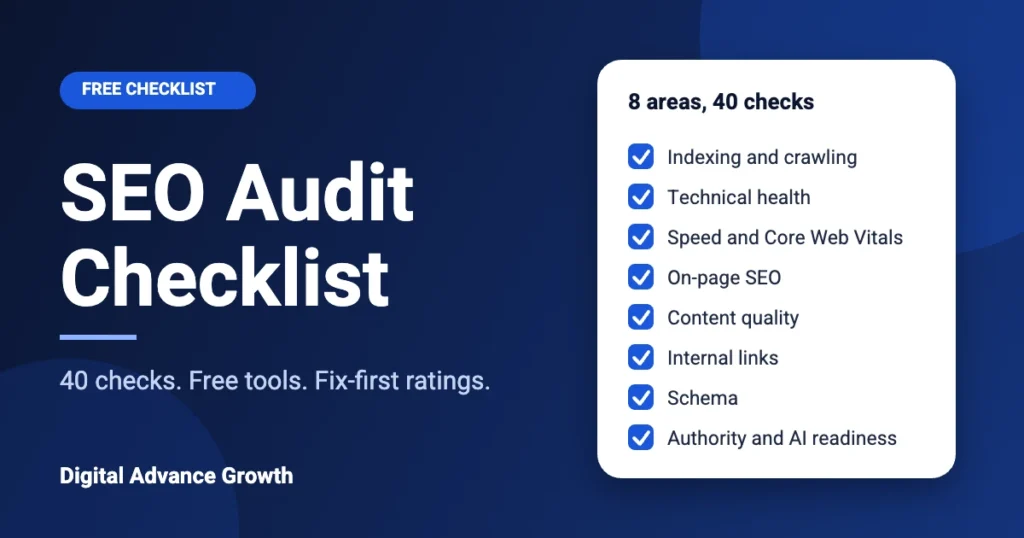
This SEO audit checklist helps you find them. It has 40 checks in 8 groups. For each one you get the free tool that tests it and a rating that tells you whether to fix it first, next or later.
You do not need to be technical to use it. If a check looks too hard, skip it, note it down and move on. At the end there is a scoring table that shows how healthy your site is.
Prefer someone else does it? We run a free manual SEO audit and send the report within 24 hours. No payment and no commitment.
Before You Start: What You Need
You need four free tools. Set them up first and the rest goes quickly.
| Tool | What it does | Cost |
|---|---|---|
| Google Search Console | Shows what Google has indexed and which pages have errors | Free |
| PageSpeed Insights | Tests speed and Core Web Vitals for any page | Free |
| Rich Results Test | Checks whether your schema is valid | Free |
| A crawler such as Screaming Frog | Crawls your site like Google would (the free version crawls up to 500 URLs) | Free |
Open a spreadsheet and make four columns: Check number, Pass or Fail, Page affected, Notes. Fill it in as you go. This sheet becomes your fix list.
In short: set up Search Console first. Almost every check below uses it.
How to Read the Ratings
Every check has one of three ratings:
- Fix first: blocks Google from finding or showing your pages. Fix these before anything else.
- Fix next: hurts rankings or clicks but does not block them.
- Fix later: polish. It helps, but it will not change much by itself.
This matters because most audits give you a list of 100 problems and no order. Start with “Fix first” and you will get more done in a week than most people do in a month.
Group 1: Indexing and Crawling (Checks 1–5)
If Google cannot index a page, nothing else about that page matters. Start here.
| # | Check | How to test it (free) | Rating |
|---|---|---|---|
| 1 | Your important pages are in Google | Search site:yourdomain.com and open Search Console → Pages | Fix first |
| 2 | robots.txt is not blocking key pages | Open yourdomain.com/robots.txt and read it | Fix first |
| 3 | An XML sitemap is submitted and lists only live, indexable pages | Search Console → Sitemaps | Fix first |
| 4 | No “noindex” tag on pages you want found | Crawler, or view page source and search for “noindex” | Fix first |
| 5 | Each page has one correct canonical version (HTTPS, one www choice) | Crawler; Search Console URL Inspection | Fix next |
What to look for in Search Console: the Pages report lists reasons pages are not indexed. “Discovered – currently not indexed” and “Crawled – currently not indexed” are the two most common on newer sites. They usually mean Google has seen the page but does not yet think it is worth storing. The fix is better content and more internal links to the page (see groups 5 and 6), not a technical trick.
A common mistake: a developer adds “noindex” while the site is being built and nobody removes it at launch. Check 4 catches this in a minute.
Group 2: Technical Health (Checks 6–10)
These checks make sure your site works properly for visitors and crawlers.
| # | Check | How to test it (free) | Rating |
|---|---|---|---|
| 6 | HTTPS works on every page, with no mixed content | Crawler; browser padlock | Fix first |
| 7 | No broken internal links or 404 pages linked from your site | Crawler → response codes | Fix next |
| 8 | No redirect chains or loops (page A to B to C) | Crawler → redirects report | Fix next |
| 9 | URLs are short, readable and consistent | Read your URL list | Fix later |
| 10 | Pages display correctly on a phone | Search Console → Page experience; test on a real phone | Fix next |
Why mobile comes first: Google mostly uses the mobile version of your site to decide where to rank it. If your menu, buttons or text break on a small screen, you are being judged on the broken version.
Quick test for check 7: run the crawler, filter for “Client Error 4xx”, and fix or redirect every link pointing to one of those pages.
Group 3: Speed and Core Web Vitals (Checks 11–15)
Speed affects both rankings and whether visitors stay. Google measures three things, called Core Web Vitals. The “good” targets from Google Search Central are:
| Metric | What it measures | Good score |
|---|---|---|
| LCP (Largest Contentful Paint) | How fast the main content appears | Under 2.5 seconds |
| INP (Interaction to Next Paint) | How fast the page reacts to a tap or click | Under 200 milliseconds |
| CLS (Cumulative Layout Shift) | How much the page jumps around while loading | Under 0.1 |
| # | Check | How to test it (free) | Rating |
|---|---|---|---|
| 11 | LCP is under 2.5 seconds on mobile | PageSpeed Insights | Fix next |
| 12 | INP is under 200 ms | PageSpeed Insights or Search Console → Core Web Vitals | Fix next |
| 13 | CLS is under 0.1 | PageSpeed Insights | Fix next |
| 14 | Images are compressed, correctly sized and lazy-loaded | PageSpeed Insights → “Properly size images” | Fix next |
| 15 | Browser caching is on and render-blocking CSS/JS is kept to a minimum | PageSpeed Insights → “Eliminate render-blocking resources” | Fix later |
A real example from our own site: when we ran this checklist on digitaladvancegrowth.com, speed was the biggest gap. The cause was render-blocking CSS from plugins loading on every page. That is a typical WordPress problem: each plugin adds its own stylesheet, and the browser waits for all of them before showing anything. We are fixing it in stages and will publish what works.
Test mobile and desktop separately. Mobile scores are almost always lower, and mobile is what Google uses first.
Speed problems are the hardest to fix alone. If your mobile score is low and you are not sure why, ask for a free audit and we will point to the cause.
Group 4: On-Page SEO (Checks 16–20)
On-page SEO is what you write and mark up on each page.
| # | Check | How to test it (free) | Rating |
|---|---|---|---|
| 16 | Every page has a unique title tag, about 50–60 characters, with the main keyword near the start | Crawler → Page Titles | Fix next |
| 17 | Every page has a unique meta description that gives a reason to click | Crawler → Meta Description | Fix later |
| 18 | Each page has one H1, and headings follow a logical order | Crawler → H1/H2 | Fix next |
| 19 | Images have useful alt text | Crawler → Images | Fix later |
| 20 | Each page targets its own keyword; no two pages compete for the same one | Search Console → Performance → look for two URLs on one query | Fix next |
Check 20 is the one people miss. If two of your pages target “SEO services in Delhi”, Google has to choose, and often shows neither well. Write one page per main keyword and link the others to it.
A simple rule for titles: put the main keyword first, add a benefit or number, and keep it short enough that it is not cut off in results.
Group 5: Content Quality (Checks 21–25)
Google’s goal is to show helpful pages written for people. Its starter guide says the same: make content that is useful to your visitors first.
| # | Check | How to test it (free) | Rating |
|---|---|---|---|
| 21 | Each page matches what people searching that keyword actually want | Search the keyword and compare the top results with your page | Fix next |
| 22 | No thin pages (a few lines) and no near-duplicate pages | Crawler → word count, duplicate content | Fix next |
| 23 | Old or out-of-date pages are updated or removed | Check dates and facts on your top pages | Fix later |
| 24 | The answer to the page’s main question is clear near the top | Read the first 100 words of each key page | Fix next |
| 25 | Pages show real experience: an About page, author or company details, and honest claims | Read your own About page as a stranger would | Fix next |
On check 21: if the top five results for your keyword are all how-to guides and yours is a sales page, you are answering a different question. Match the type of page Google is already showing.
On check 25: do not claim results you cannot show. Trust is slow to build and quick to lose. If you do not have case studies yet, say so and show your process instead.
Group 6: Internal Links and Structure (Checks 26–30)
Internal links tell Google which pages matter and how topics connect. They also pass strength from strong pages to weaker ones.
| # | Check | How to test it (free) | Rating |
|---|---|---|---|
| 26 | Your most important pages are reachable within 3 clicks of the home page | Crawler → crawl depth | Fix next |
| 27 | No orphan pages (pages with no internal links pointing to them) | Compare your sitemap URLs with crawler results | Fix first |
| 28 | Links use descriptive anchor text, not “click here” | Crawler → anchor text | Fix later |
| 29 | Each main service page is supported by related blog posts that link to it, and it links back | Map pages and posts in a sheet | Fix next |
| 30 | Navigation and breadcrumbs are clear and consistent | Browse the site on mobile | Fix later |
Check 27 matters most. An orphan page is much less likely to be indexed. Many “Discovered – currently not indexed” pages are orphans or only linked from the menu.
How to build topic clusters: pick one main service page, then write three to five posts answering the questions buyers ask about it. Each post links to the service page, and the service page links back to each post. This is how this post fits with our SEO audit service page.
Group 7: Schema and Structured Data (Checks 31–35)
Schema is code that tells search engines what a page is about. It does not directly raise rankings, but it helps Google and AI tools understand your business. Google explains how it works here.
| # | Check | How to test it (free) | Rating |
|---|---|---|---|
| 31 | Organization schema is on the home page (name, URL, logo, social profiles) | Rich Results Test; Schema Markup Validator | Fix next |
| 32 | Breadcrumb schema is on inner pages | Rich Results Test | Fix later |
| 33 | Schema types match the page: Article for posts, Service or LocalBusiness for service pages, FAQ for real FAQs | View page source; Schema Markup Validator | Fix later |
| 34 | Schema passes with no errors | Rich Results Test | Fix next |
| 35 | Schema matches what is visible on the page | Compare the code with the page | Fix next |
Two honest points about schema:
- Google now shows FAQ and HowTo rich results only for a small number of sites. Adding that schema will usually not give you a fancy result in search. It still helps machines understand the page, so it is worth having when it is accurate.
- Never mark up something that is not on the page, such as reviews you do not have. It breaks Google’s rules and can lead to a penalty.
Group 8: Authority, Local and AI Readiness (Checks 36–40)
The last group checks whether other sites and AI tools can trust and find you.
| # | Check | How to test it (free) | Rating |
|---|---|---|---|
| 36 | Your backlinks come from real, relevant sites, with no spam | Search Console → Links; free backlink checkers | Fix later |
| 37 | Your Google Business Profile is complete and matches your website | Google Business Profile dashboard | Fix next |
| 38 | Your business name, phone and website are identical in every directory | Search your business name; compare listings | Fix next |
| 39 | robots.txt does not accidentally block AI crawlers you want to allow | Read robots.txt for rules naming bots such as GPTBot, ClaudeBot or PerplexityBot | Fix next |
| 40 | Your brand is clear as an entity: a full About page, consistent name, and answer-first pages | Ask an AI tool “What is [your business]?” and see what it says | Fix later |
What to know about AI search: you do not need a special trick. Google’s own guidance on AI features says there are no extra requirements to appear in AI Overviews or AI Mode beyond normal SEO best practice. So the best AI preparation is groups 1 to 7: pages that are indexed, fast, clear and trustworthy.
What does help is writing pages that answer a question directly near the top, using clear headings, and keeping your business details consistent everywhere. If you want to go deeper, read what answer engine optimization is.
For service-area businesses: if you work from home or without a public office, you can hide your address on your Google Business Profile and list the areas you serve. Keep that choice the same on every directory (check 38).
How to Score Your Audit
Count your passes out of 40.
| Passes | What it means | What to do |
|---|---|---|
| 34–40 | Healthy | Fix the remaining items and re-check every 6 months |
| 24–33 | Fair | Fix all “Fix first” items, then the “Fix next” items |
| 14–23 | Needs work | Start with groups 1 and 2; nothing else will help until Google can index you |
| Under 14 | Serious problems | Fix indexing first, then consider getting help |
This score is a rough guide for your own tracking, not an official rating.
Scored under 24? Send us your website and we will tell you which three fixes would help most.
What to Fix First: A Simple Order
- Week 1: all “Fix first” items (indexing, noindex, orphans, HTTPS).
- Weeks 2–3: speed, mobile, titles, duplicate pages, broken links.
- Week 4: content updates, internal links, schema.
- Ongoing: backlinks, local listings, AI-readiness checks.
After each batch of fixes, go back to Search Console and use Request indexing on the pages you changed.
How Often Should You Run an SEO Audit?
- Every 6 months for a small, stable site.
- Every 3 months if you publish often or change the site a lot.
- Straight away after a redesign, a move to a new domain or a sudden drop in traffic.
A quick monthly look at the Pages and Core Web Vitals reports in Search Console catches most problems early.
DIY Audit or Professional Audit?
| Do it yourself | Hire an expert | |
|---|---|---|
| Cost | Free (your time: about 2 hours for a small site) | Varies; some agencies offer a free audit |
| Best for | Small sites, owners who like to learn | Larger sites, unclear drops, no time |
| Risk | You may miss problems you do not know to look for | You need to pick someone honest |
| Output | Your own pass/fail sheet | A written report with a priority list |
If you want a second pair of eyes, our SEO audit service is a free manual audit delivered within 24 hours. If you are based in Delhi, Gurugram or Noida, see our SEO company in Delhi NCR page. If your site is not showing up at all, start with why your website may not be showing on Google.
Key Takeaways
- An SEO audit checks whether search engines can find, understand and trust your pages.
- This checklist has 40 checks in 8 groups, each with a free tool to test it.
- Start with indexing and crawling. If Google cannot index a page, nothing else on it matters.
- Use the three ratings Fix first, Fix next, Fix later so you do not drown in a 100-item list.
- Core Web Vitals targets: LCP under 2.5 s, INP under 200 ms, CLS under 0.1.
- Orphan pages and duplicate pages targeting the same keyword are two of the most common hidden problems.
- Schema helps machines understand your pages. It will not always give you a rich result, so only mark up what is really on the page.
- AI search needs no special trick. Good normal SEO, clear answers and consistent business details do the work.
- Re-audit every 3 to 6 months, and straight away after a redesign or traffic drop.
Frequently Asked Questions
What should be in an SEO audit checklist?
A good checklist covers indexing, technical health, page speed, on-page SEO, content quality, internal links, schema, and authority including local and AI readiness. This guide has 40 checks across those eight areas, each with a free tool to test it.
How long does an SEO audit take?
A small site of up to about 50 pages takes around two hours using this checklist. Larger sites take longer because the crawl and fix list grow. Plan extra time for fixing, which is usually longer than finding.
How do I do an SEO audit for free?
Use Google Search Console, PageSpeed Insights, the Rich Results Test and a free crawler such as Screaming Frog. Work through the checks, record pass or fail in a spreadsheet, and fix the “fix first” items before anything else.
What should I fix first after an SEO audit?
Fix anything that stops Google finding your pages: noindex tags, robots.txt blocks, missing sitemap pages, broken HTTPS and orphan pages. Then fix speed, mobile, titles and duplicate pages. Content and polish come last.
How often should I run an SEO audit?
Every six months for a stable small site, every three months if you publish or change things often. Run one straight away after a redesign, a domain move or a sudden traffic drop.
Do I need to do anything special for AI search?
Not much. Google says there are no extra requirements for AI Overviews beyond normal SEO. Make sure AI crawlers are not blocked in robots.txt, answer questions clearly near the top of pages, and keep your business details consistent everywhere.
Conclusion
An SEO audit sounds big, but it is just a list of questions. Can Google find my pages? Do they load quickly? Do they answer what people are searching for? Do other pages and sites point to them?
Work through the 40 checks above and you will know the answers. Fix the “fix first” items this week. Then go back to Search Console, request indexing for the pages you changed, and check again in two to four weeks.
If you would rather have someone look at your site for you, request a free SEO audit. We check your site by hand and send you a clear list of what to fix, in the order to fix it, within 24 hours. No lock-in.
Ready for an expert to check your site? We send a written report within 24 hours. No payment, no lock-in.
Note: Core Web Vitals thresholds and Google’s guidance on AI features are taken from Google Search Central documentation, which can change. Tool features and free-version limits also change, so check each tool’s own page.

- SEO Audit Checklist: 40 Checks You Can Run With Free Tools - October 20, 2026
- How to Track Your Brand’s Visibility in ChatGPT and AI Search - October 3, 2026
- AEO vs GEO vs SEO: What’s the Difference? (2026 Guide) - September 23, 2026